⚡ ALARMS + REMINDERS + CALENDAR EVENTS IN ONE APP

Made for Busy Folks to Focus on High-Priority Items

Consolidate your alarms, daily chores, task reminders, and calendar schedules into one unified agenda. Never miss a meeting, scramble for video call links, or miss directions to your meeting location again.

1-Tap to Join Meeting or Directions
60-Day Google & Outlook Sync
100% Offline & Private
📅
60-Day Sync
Google & Outlook Events
1-Tap Access
Click to Join or Navigate
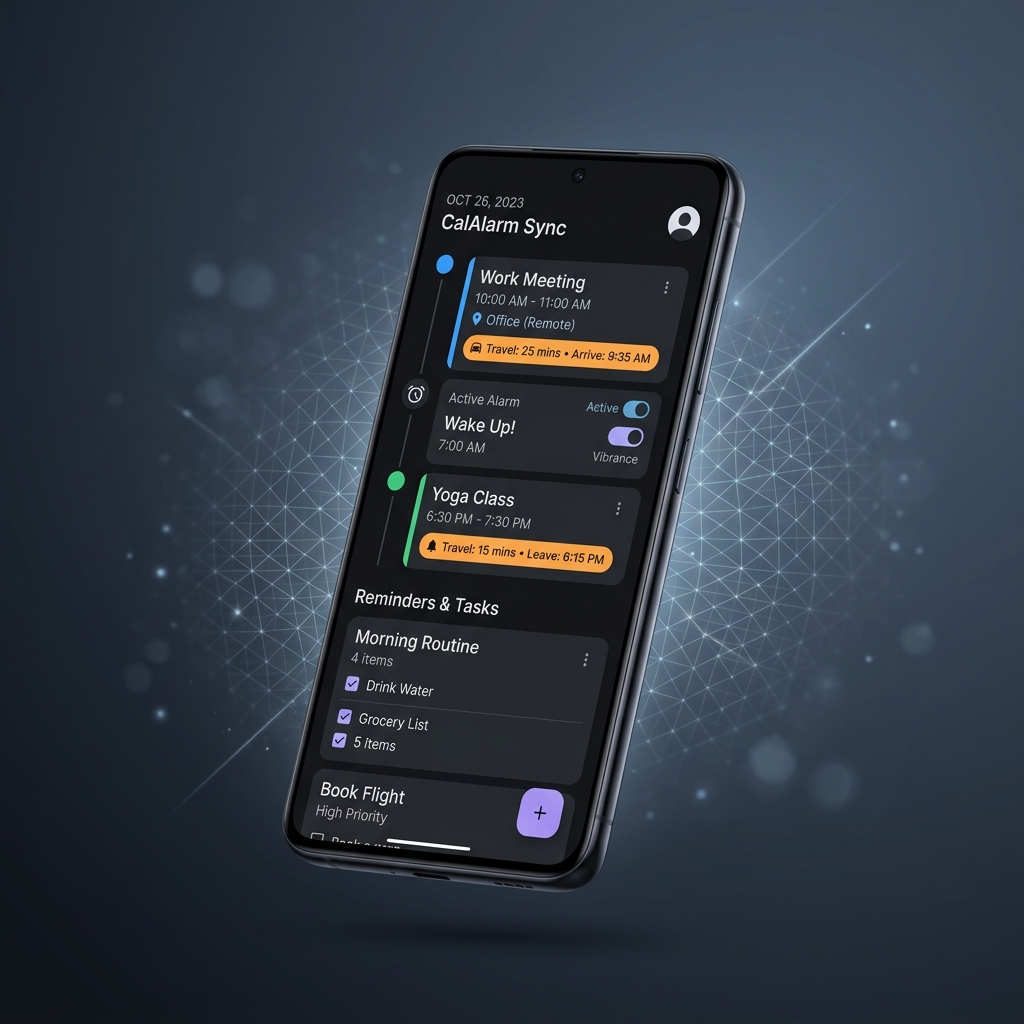
CalAlarm Sync Mobile App Preview Showcase
Available only on Android for now

Stop juggling 3 separate apps for alarms, reminders, and calendar events. CalAlarm Sync brings everything under one hood so you can direct 100% of your energy to high-priority work.

Built to Keep You Ahead of Every Schedule

Designed from the ground up for professionals, students, and busy individuals who can't afford missed appointments.

Alarms + Reminders + Calendar

Merge your Google and Outlook calendar schedules, daily task reminders, and high-priority alarms into one clean interface.

1-Tap to Join Meeting or Directions

Launch video calls (Google Meet, Zoom, Teams) or open turn-by-turn directions to your meeting location instantly with one tap.

📅

60-Day Google & Outlook Sync

Silent background WorkManager periodic engine keeps your Google and Outlook calendar events and alarms prepped up to 60 days in advance.

🎯

Focus on High-Priority Items

Filter out clutter. Automatically schedule alarms strictly for your high-priority meetings, events, and reminder tasks.

🔒

100% On-Device & Private

All calendar data stays strictly on your phone. Open-sourced under the MIT license with zero cloud tracking or intrusive ads.

Watch CalAlarm Sync Walkthrough

See how automatic calendar synchronization and instant alarm scheduling streamline your day in under 2 minutes.

Sign Up for App Download from Play Store

Sign up to receive direct access to download CalAlarm Sync on the Google Play Store. Enter the email address linked to your Play Store account:

🔒 Privacy Promise: Automated confirmation email sent immediately. No spam ever.

Everything You Need to Know

💡 Why was CalAlarm Sync built?

Most calendar alarm tools on the Play Store are bloated with invasive pop-up ads, demand expensive monthly subscriptions, or upload your sensitive calendar events to cloud servers. CalAlarm Sync was created to offer busy folks a 100% free, ad-free, open-source (MIT License), and privacy-first solution where all calendar sync happens strictly on your physical phone.

👥 Who will benefit most from this app?

CalAlarm Sync is tailored specifically for:

  • Busy Professionals: Juggling client meetings, video conferences, tasks, and personal chores without manually setting dozens of daily alarms.
  • Students & Researchers: Managing class timetables, online exam links, homework deadlines, and group study sessions across multiple accounts.
  • Active Event Goers: Attending community events, webinars, and travel routines where timely arrival is non-negotiable.

🛡️ What Android permissions does the app require?

To guarantee that alarms trigger reliably down to the exact second:

  • Read Calendar: Scans your authorized Google or Outlook calendars locally to calculate alarm trigger times.
  • Notifications Permission (Android 13+): Displays incoming alarm alerts and high-priority status notifications.
  • Schedule Exact Alarms: Essential to trigger alarms precisely on time without delayed battery-saving shifts.
  • Display Over Other Apps / Pop-up Windows: Displays the full-screen ringer UI over active apps or lock screens. (Required for Xiaomi MIUI/HyperOS devices).
  • Unrestricted Battery Optimization: Ensures Android's Doze mode does not kill the silent background sync engine.

Already Signed Up for App Download?

Access the Google Play Store listing directly to download CalAlarm Sync on your device:

Get it on Google Play
